Reports by operator and campaign
Monthly reports help you review audit results by period, operator, or campaign. Use them to detect trends, frequently failed criteria, and cases that need closer review.
Use this page for Reports > Operator and Reports > Campaigns. To analyze a manual selection of cases, use Marked tasks report. To review operational samples, continue with Daily Sample.
Access reports
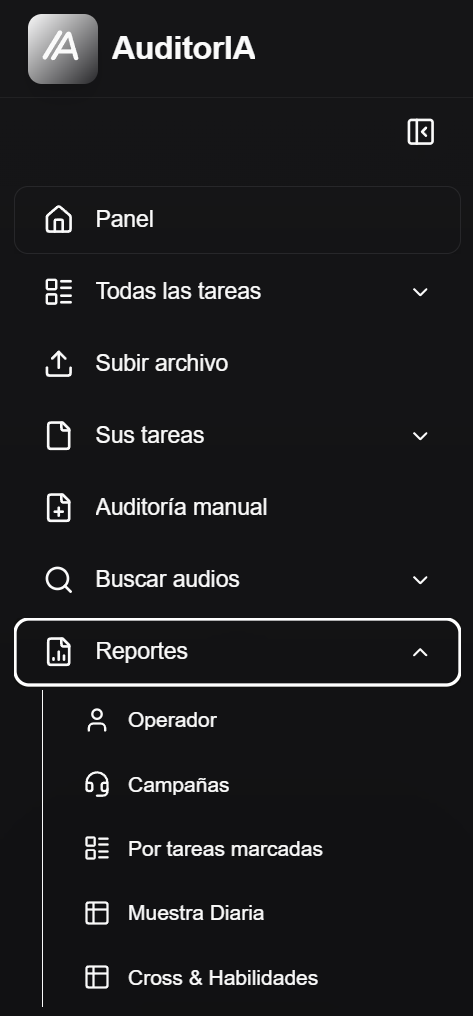
Open Reports from the sidebar. Depending on your configuration, you may see Operator, Campaigns, Marked tasks, Daily Sample, and Cross & Skills.
Generate an operator report
Use Reports > Operator to review one person's monthly performance.
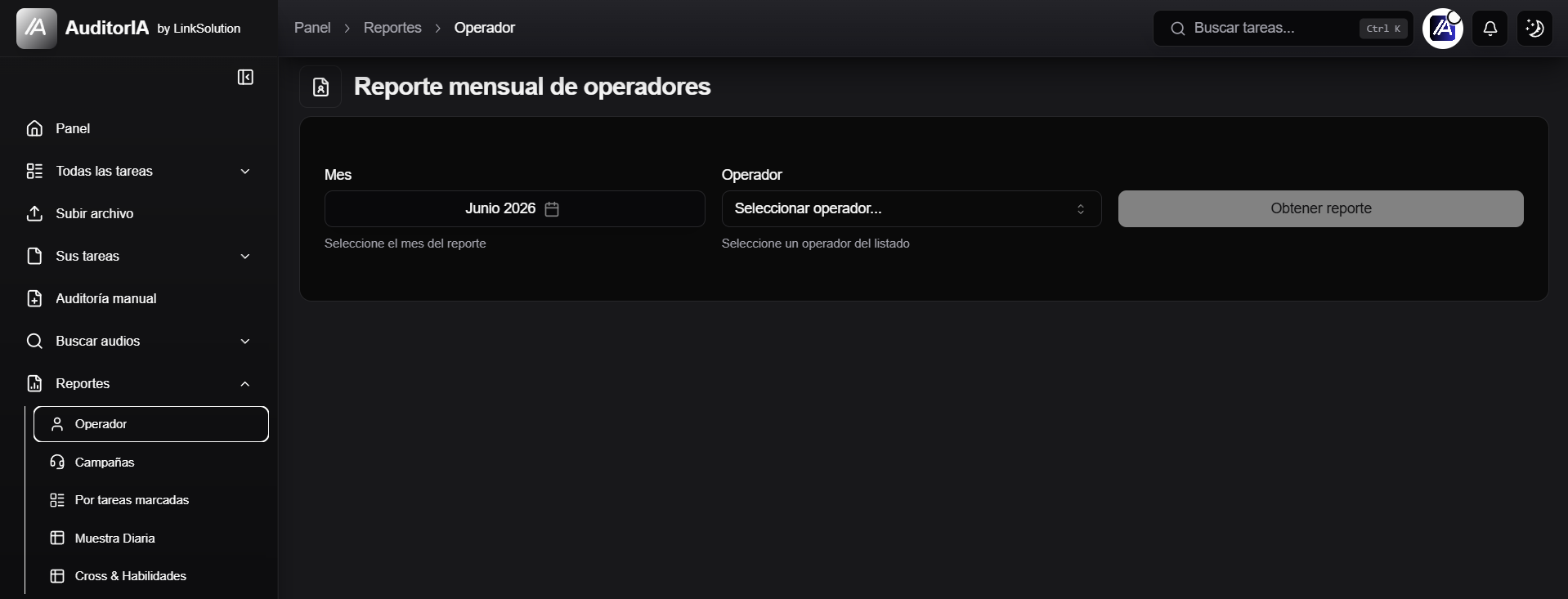
- Select the Month.
- Choose the Operator.
- Click Get report.
- Review the summary, tabs, and tasks table.
Generate a campaign report
Use Reports > Campaigns to review a full campaign.
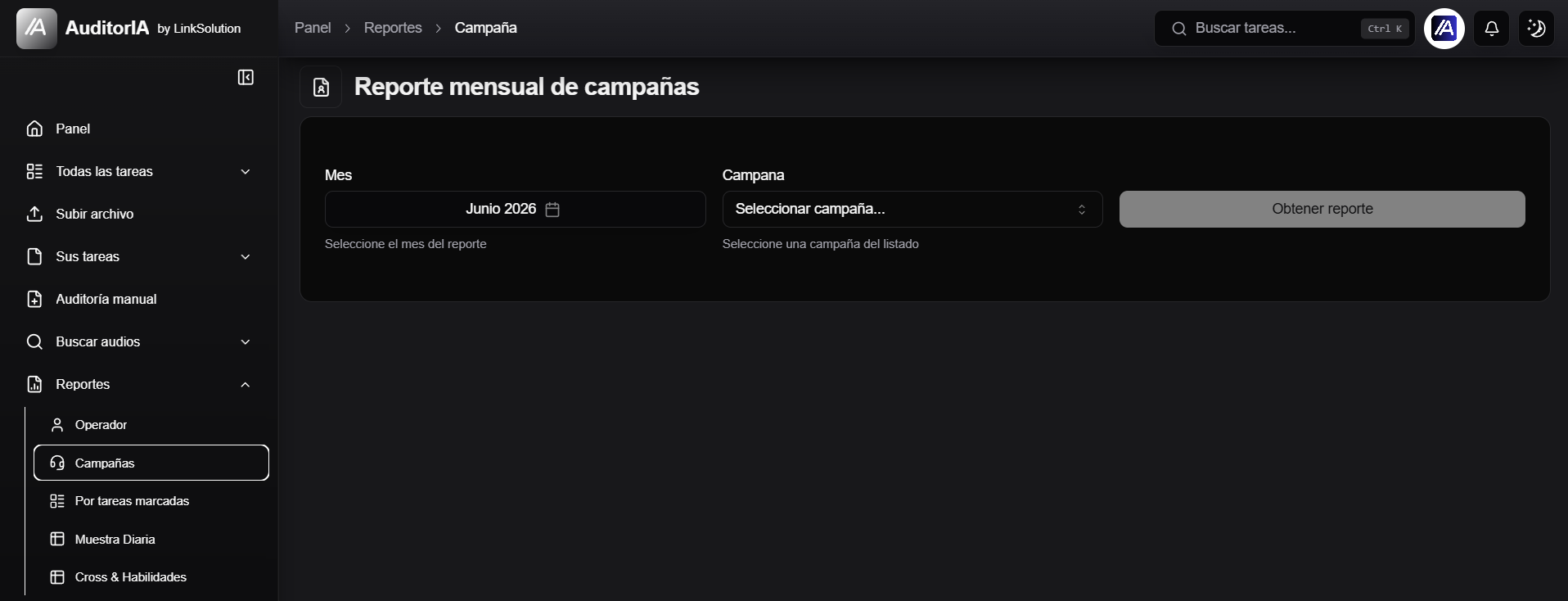
- Select the Month.
- Choose the Campaign.
- Click Get report.
- Review metrics, failed criteria, trends, and associated tasks.
Filter by days of the month
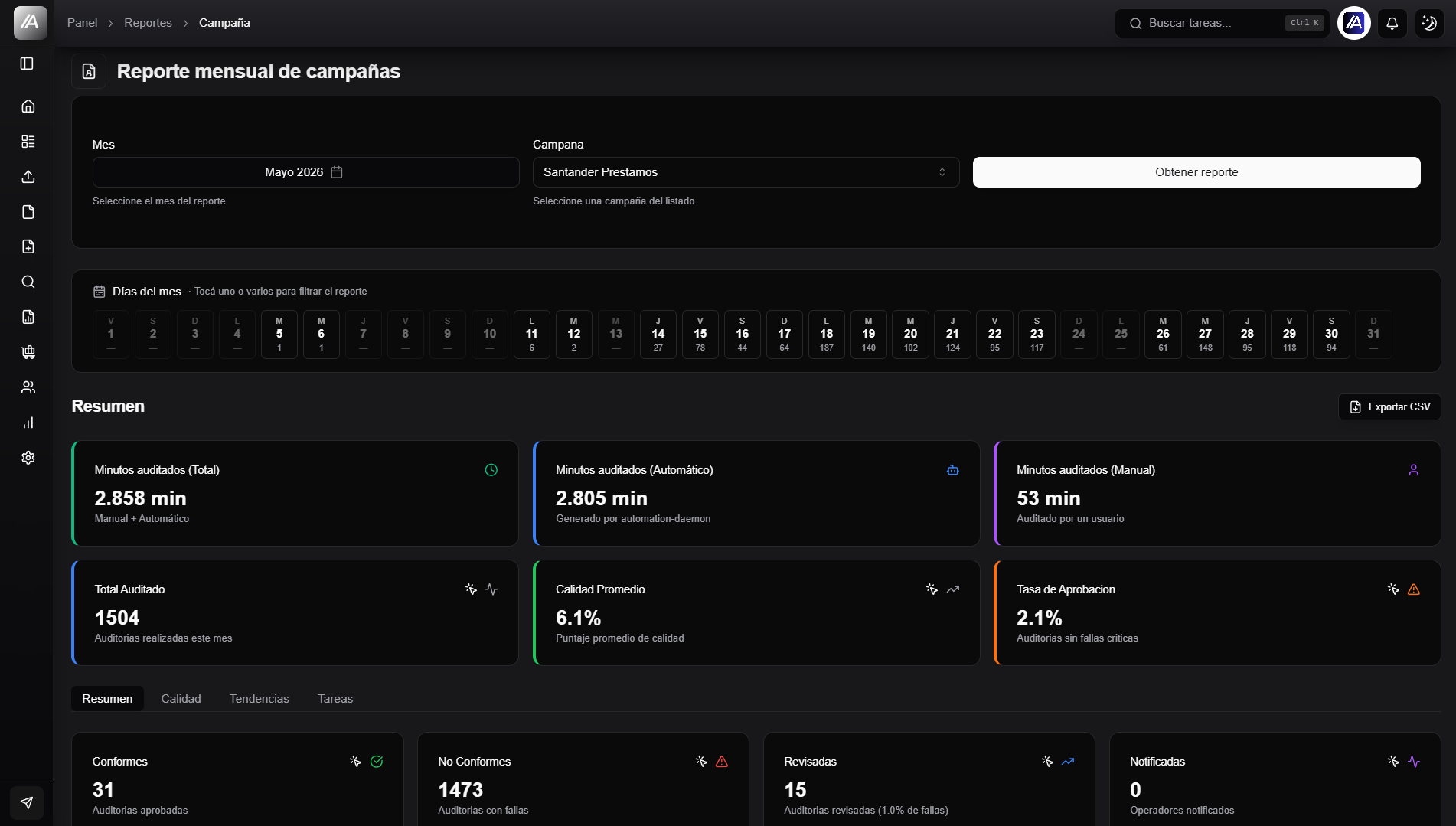
When the report has data, a day selector appears. Select one or more days to filter the report.
Read the report
Summary
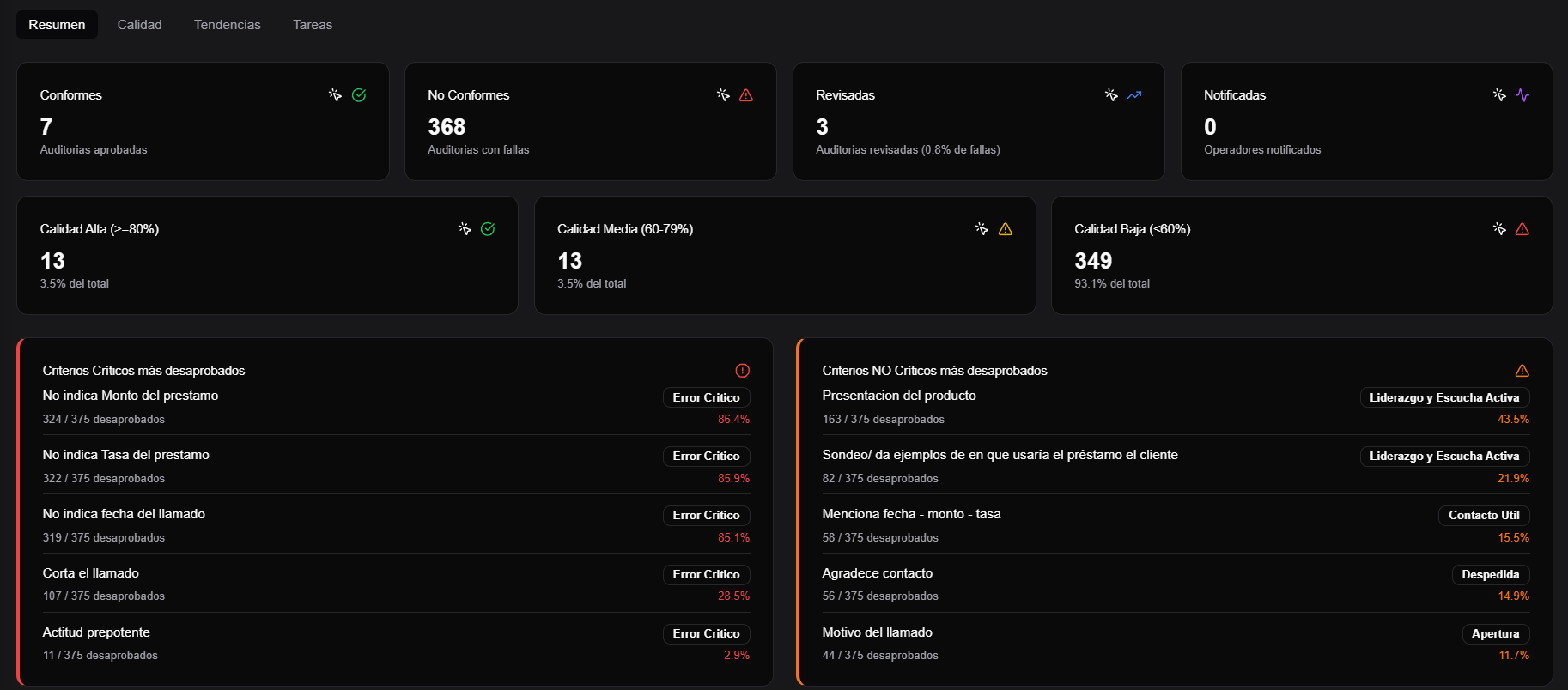
The Summary tab gives a quick view of the period: total audited, average quality, approval rate, reviewed or notified audits, and failed criteria.
Quality
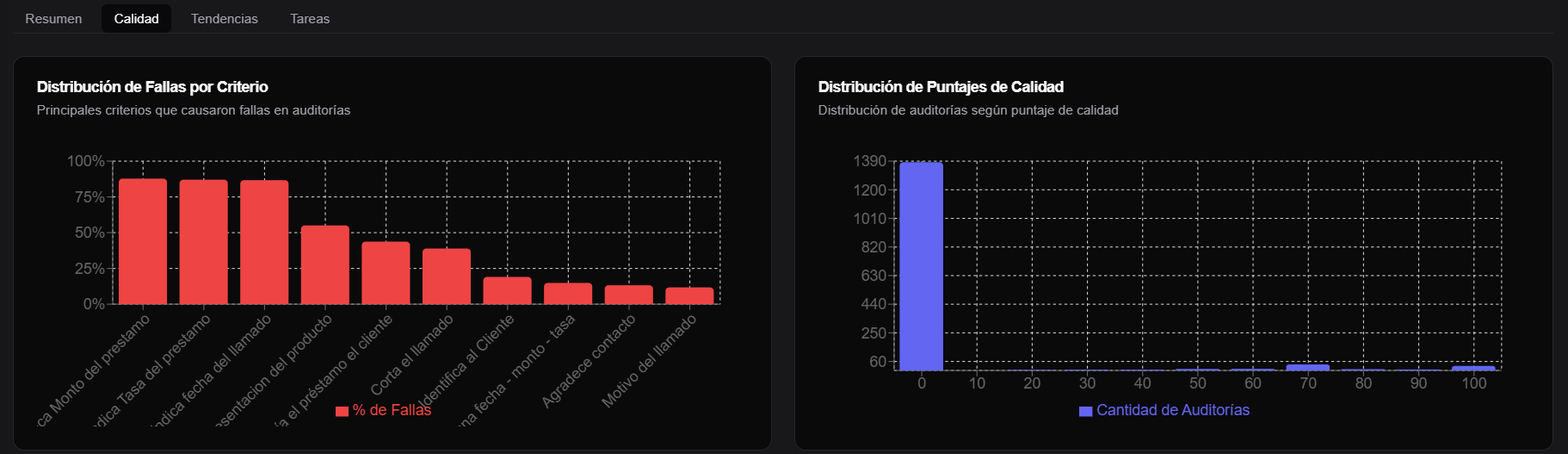
The Quality tab groups distribution charts and failed criteria views.
Trends
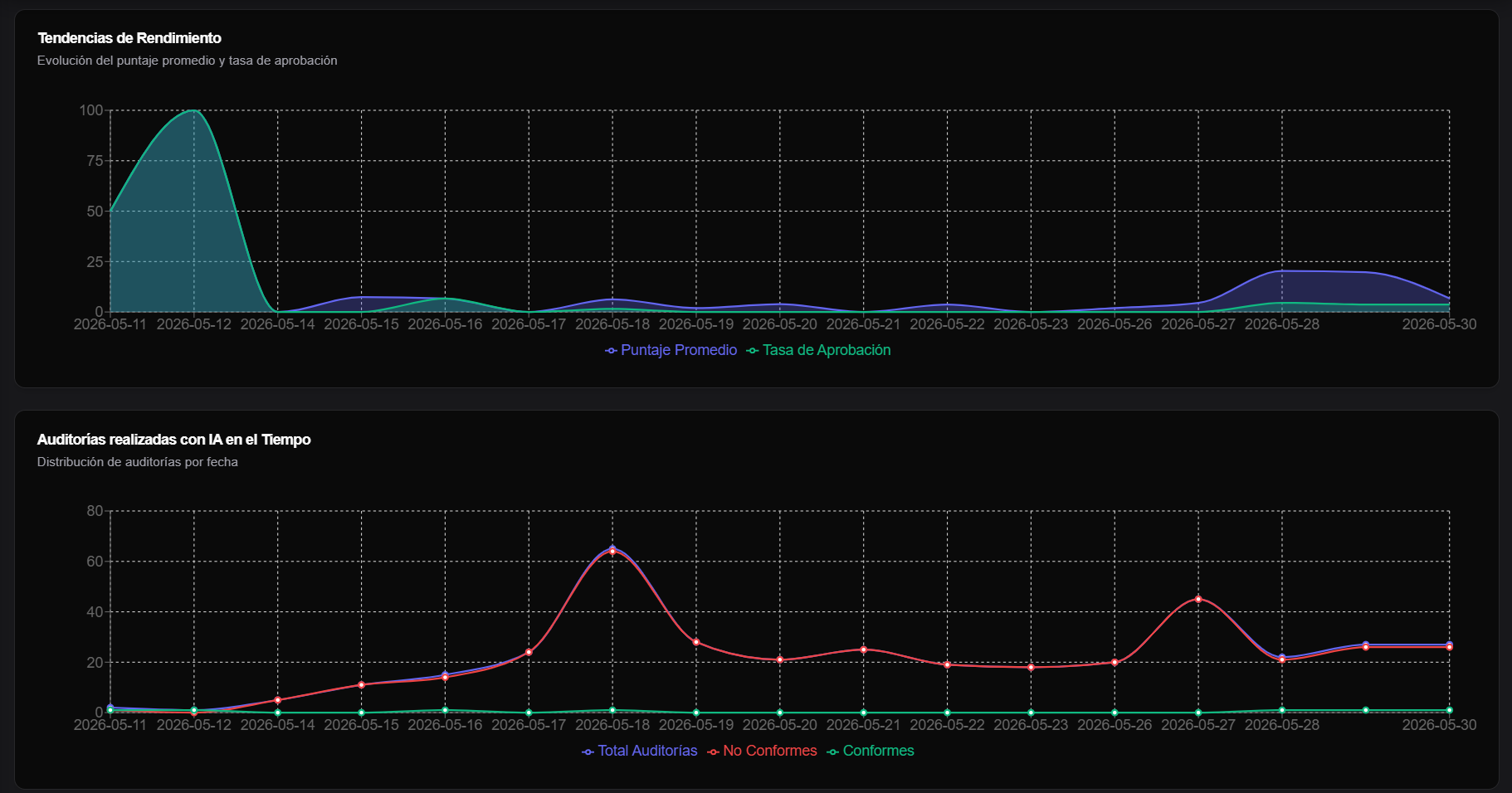
The Trends tab shows changes within the period.
Tasks
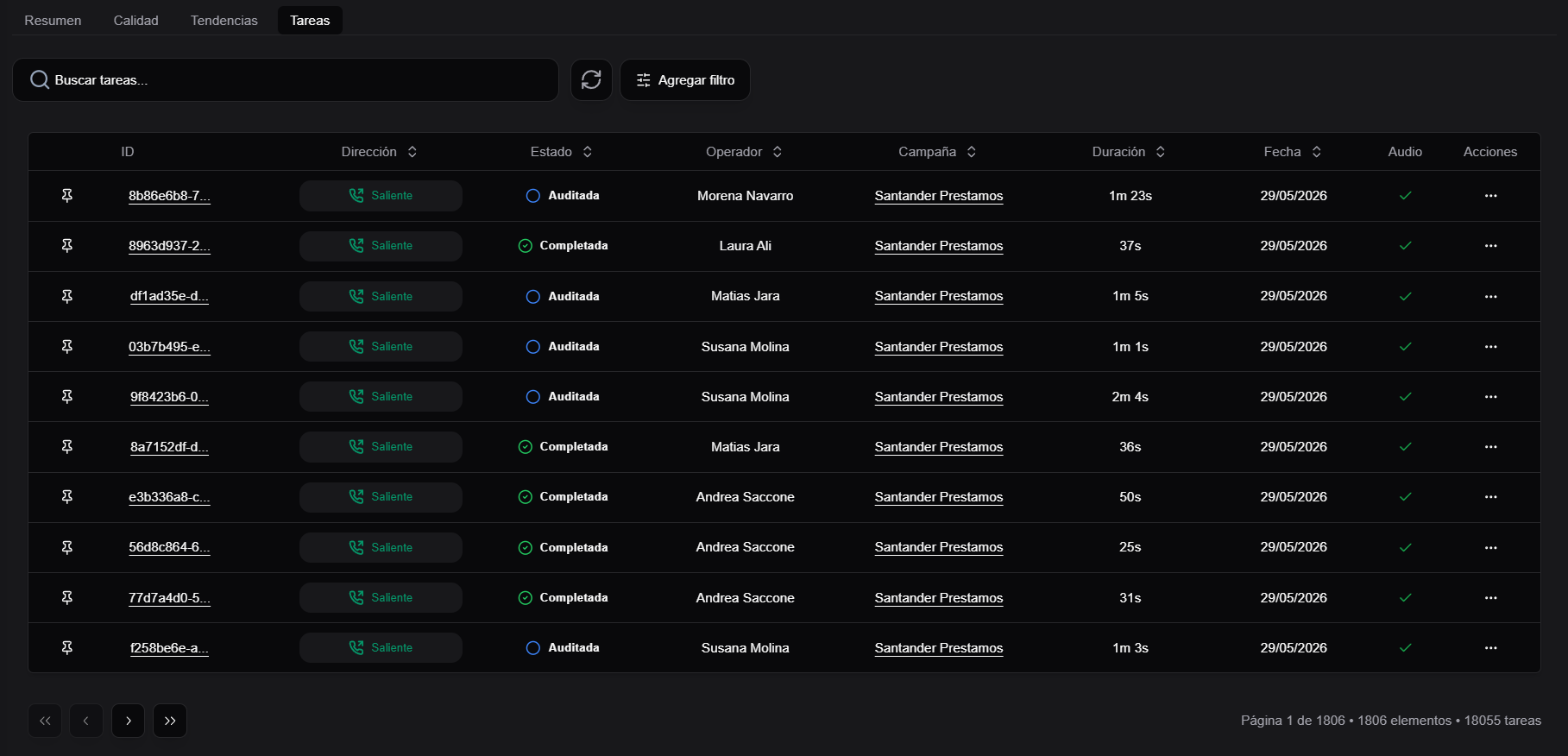
The Tasks tab lists the records included in the report and helps you move from aggregate numbers to concrete evidence.
Export results
Operator and campaign reports may show Export CSV. The export respects the selected month, days, operator, or campaign.
Best practices
- Compare similar periods.
- Review failed criteria before deciding coaching actions.
- Open concrete cases from Tasks when averages are not enough.
- If a campaign does not appear, check permissions and whether it has audited data.