Cross & Skills
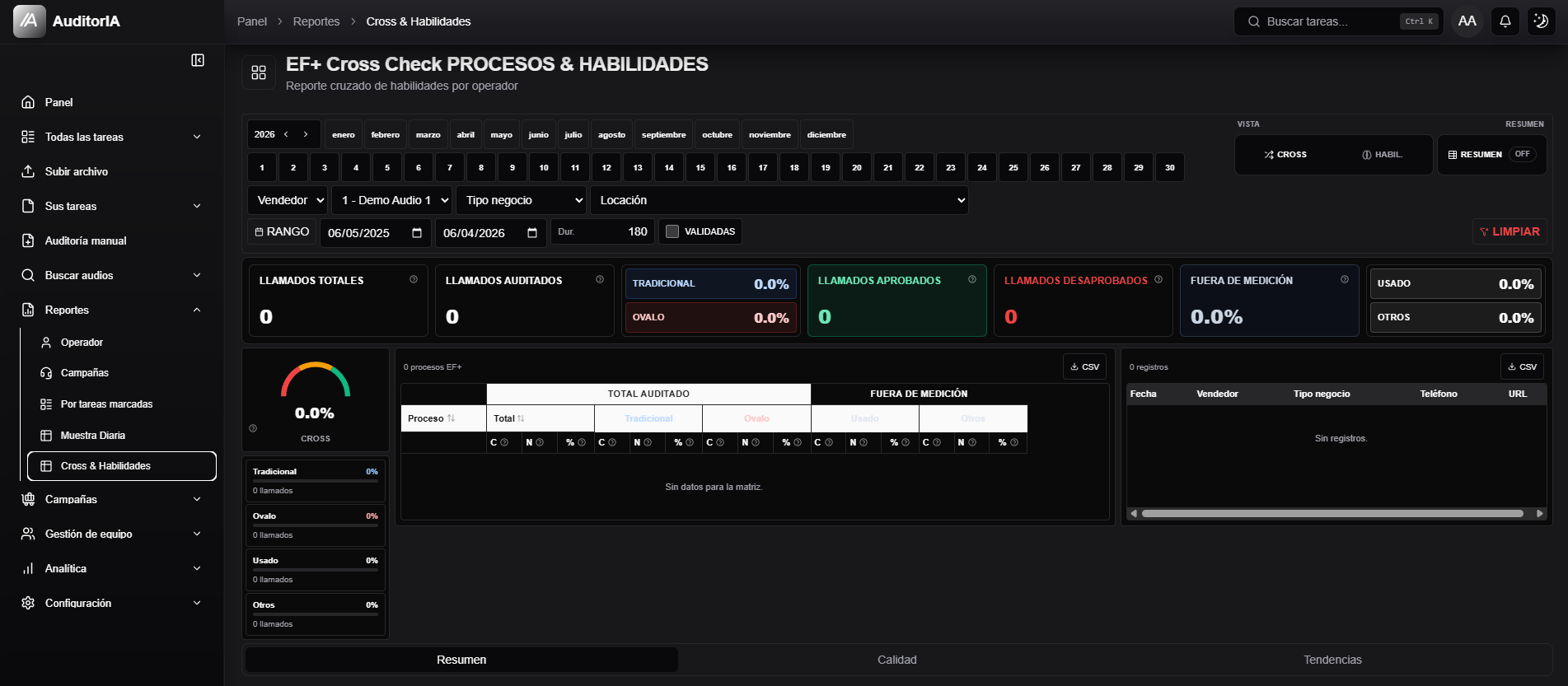
Cross & Skills is a dense dashboard for crossing processes, skills, sellers or operators, and operational data such as campaign, business type, or location. Use it to compare compliance across segments, not to review a single audit.
This screen can vary a lot by deployment and available data. If the dashboard is empty or columns look tight, review filters and period before drawing conclusions.
Open Reports > Cross & Skills.
Configure filters
Use year, month, day, date range, seller or operator, campaign, business type, location, minimum duration, and Validated.

Read the dashboard
Switch between Cross and Skills depending on whether you want process/segment crossing or skill-level performance. Cards show totals, audited calls, approved, rejected, out-of-measurement, and category percentages.
Read it in this order:
- Confirm period and filters.
- Check total and audited volume.
- Review approved, rejected, and out-of-measurement values.
- Use the matrix to find weaker processes or skills.
- Open details or export CSV if needed.
Export CSV
The screen can show more than one CSV action. Each export respects current filters and view.