Manage local operators
A local operator is the functional identity of a person who can be audited or selected in AuditorIA. It links calls, chats, manual audits, filters, and reports to a person, even when that person does not have an account to sign in.
Do not confuse an operator with a user. A user with access signs in to AuditorIA with assigned roles, permissions, and campaigns. A local operator can exist without a user account when the system only needs to identify the person being audited.
Before you begin
Before creating or modifying operators, review the following information:
| Item | What it is used for |
|---|---|
| Operator ID | Identifies the person in calls, chats, audits, and reports. This is the most important field. |
| First name / Last name | Help identify the operator in lists, selectors, and reports. |
| Completes the profile and, when applicable, allows an account to be created in Keycloak. | |
| Source ID | External reference from a CRM, integration, or source system, if available. |
| Source | Indicates where the record came from. It must use a source recognized by the platform. |
The available options depend on your permissions. If you do not see Team management, Operators, Create operator, edit, delete, or Create in Keycloak, ask an administrator to review your role and permissions. See I cannot see an option the manual mentions.
Open local operators
- In the sidebar, open Team management.
- Select Operators.

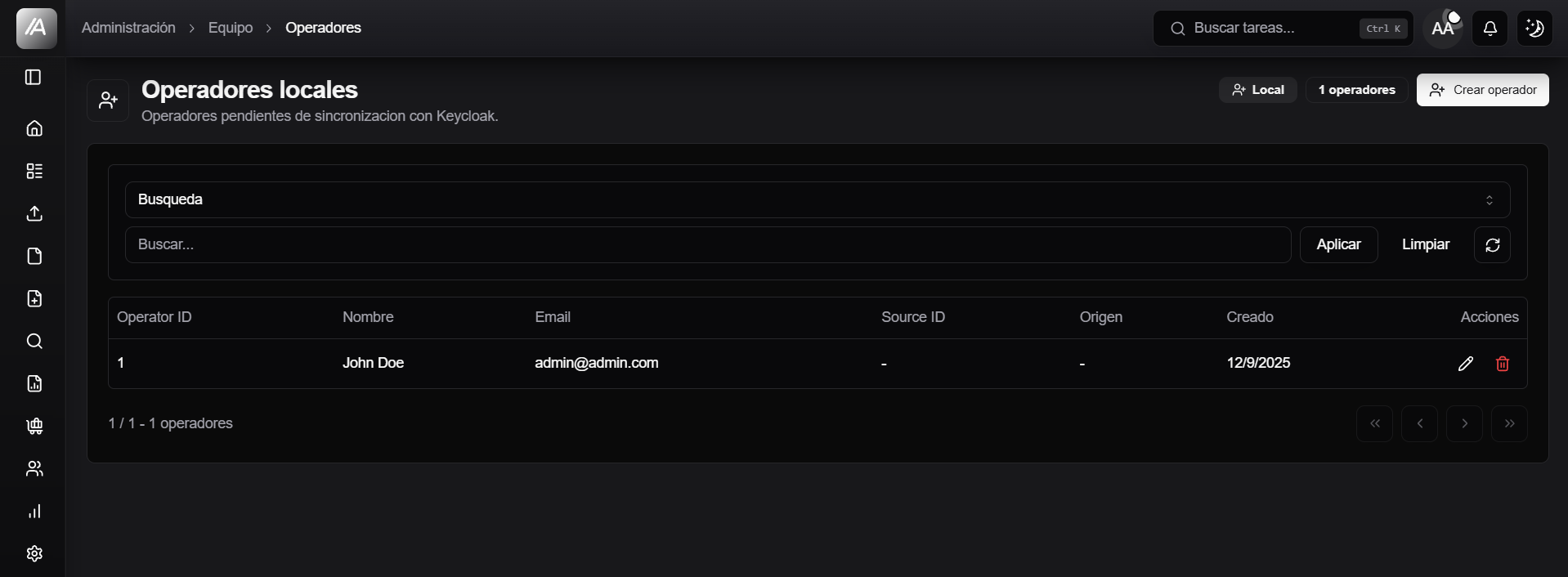
The screen shows local operators that are pending synchronization with Keycloak. In practice, these are operators that exist in AuditorIA's local table but are not yet linked to an account with access.
Understand the list
The table summarizes each operator's main details:
| Column | What it shows |
|---|---|
| ID | The operator's functional ID. |
| Name | First and last name stored in the local profile. |
| Email address associated with the operator, if available. | |
| Created At | Date when the local record was created. |
| Actions | Edit or delete, if you have permission. |
The counter at the top shows how many local operators match the current filters.
Search and filter operators
Use the search box when you have partial information about an operator. For more precise searches:
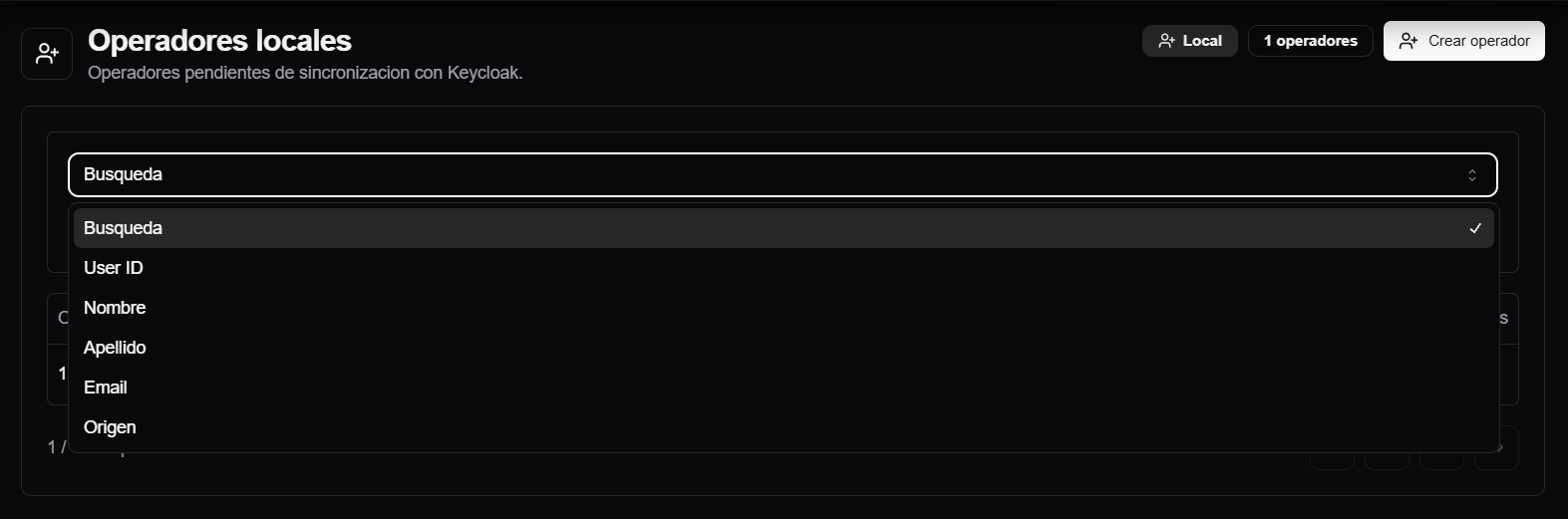
- Open the Search selector.
- Choose a field: User ID, First name, Last name, Email, or Source.
- Enter the value.
- Select Apply.
- Select Clear to return to the unfiltered list.
The refresh button queries the list again without changing the selected filter.
Create a local operator
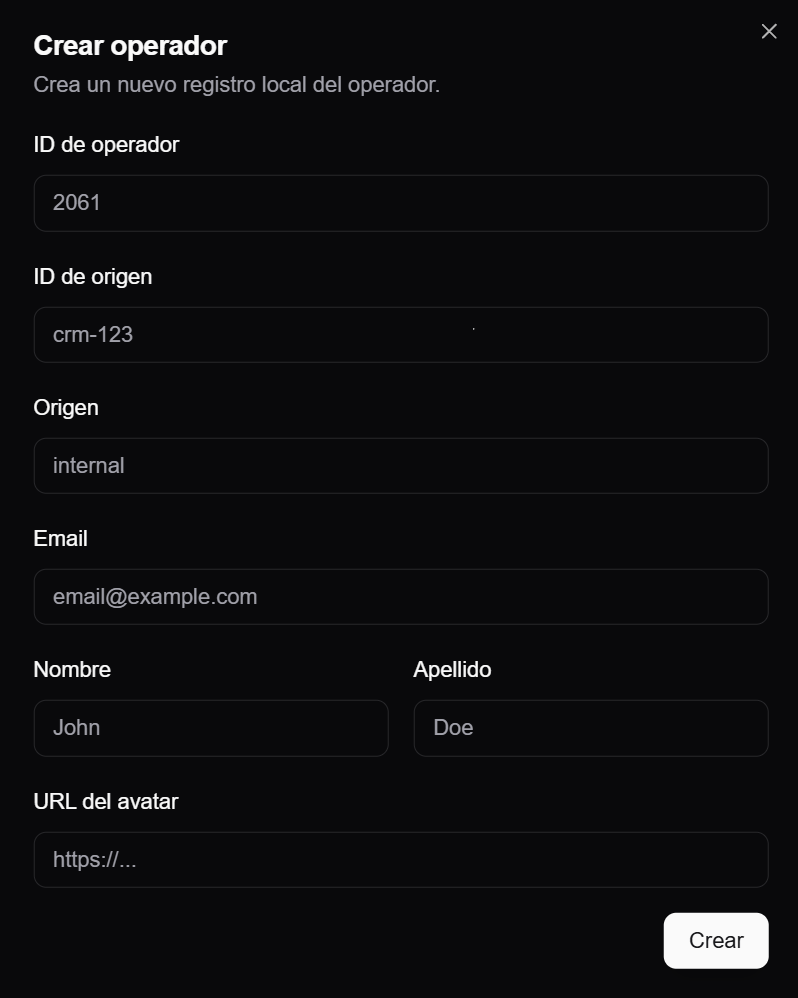
Use Create operator when a person needs to appear in uploads, audits, filters, or reports but does not necessarily need to sign in to AuditorIA.
- Click Create operator.
- Enter the Operator ID.
- Add the first name, last name, and email if available.
- Complete Source ID and Source if the operator comes from an external system or integration.
- Save the record.
Before creating an operator, search by ID, name, or email. Duplicate operators can split a person's history across two identities and affect searches, audits, and reports.
Choose the operator ID
The Operator ID connects the person with their operational cases. It is used in calls, chats, manual audits, and reports and, if the person also has an account, as the user's operator_id.
Use the same ID when:
- the person already has historical calls or chats under that operator;
- the operator appears in previous reports or audits;
- the person will have a user account to view their own cases or feedback;
- an external integration already sends that ID.
Do not invent a new ID to solve an access issue. First check whether the person already exists as a local operator or as a user with access.
Changing the ID of an existing operator may be blocked if calls, chats, or audits are already associated with it. If the system does not allow the change, this is intentional: it prevents the identity from being separated from its history.
Open the operator details
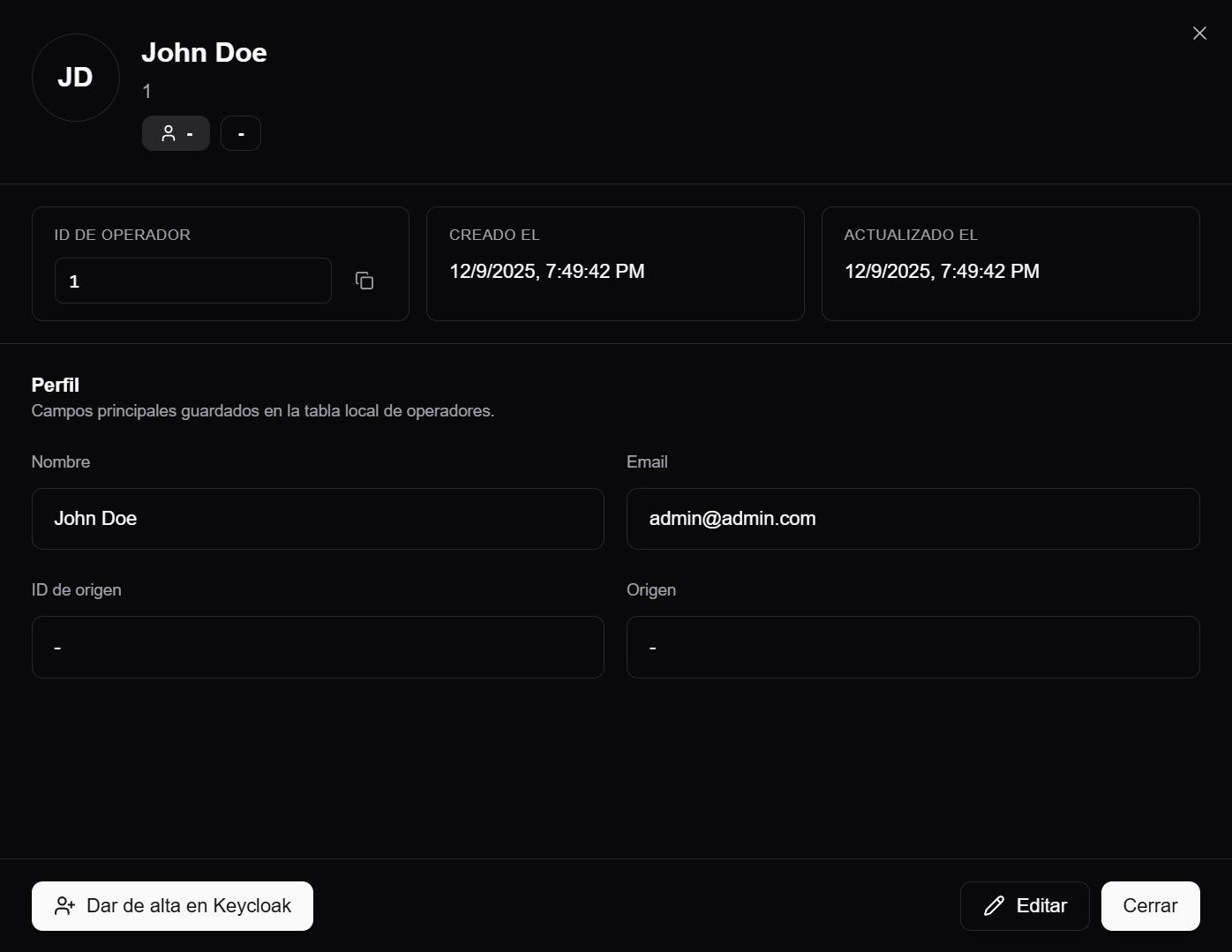
Click a row to open the operator's side panel. From there, you can review:
- operator ID;
- creation date and last update;
- name;
- email;
- source ID;
- source.
You can also copy the ID, edit the profile, close the panel, or begin creating the account in Keycloak when applicable.
Edit operator details
Use Edit to correct local profile information:
- first name;
- last name;
- email;
- source ID;
- source;
- avatar URL;
- operator ID, only when appropriate and allowed by the system.
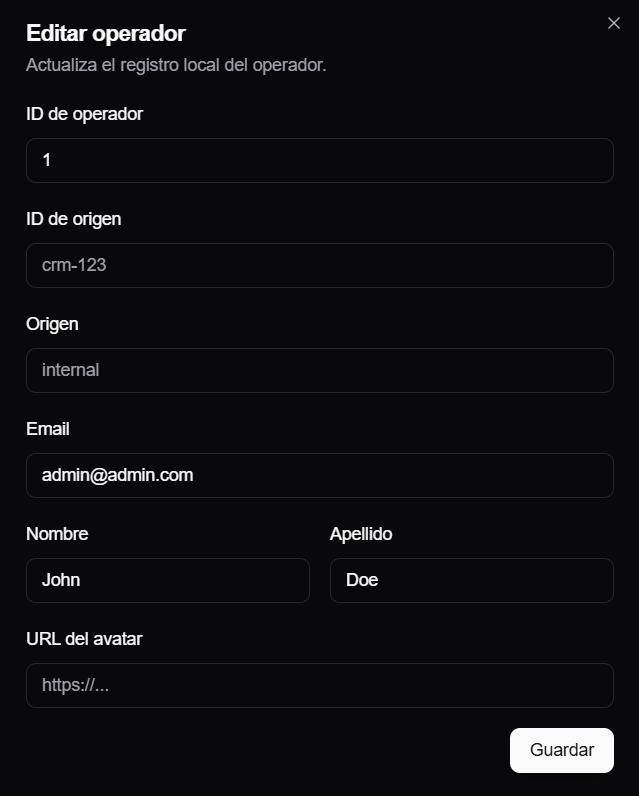
Editing updates the operator's local record. It does not change the roles, permissions, or campaigns of an account with access. Those settings belong to the Keycloak user and are managed under Manage users with access.
The Source field identifies where the record came from, such as internal, api-external, net2phone, neotel, anura, sftp, or s1-gateway. If you are unsure which value to use, first confirm how that operator enters the system.
Create an account in Keycloak
If a local operator also needs to sign in to AuditorIA, you can start the onboarding process from the side panel by selecting Create in Keycloak.
This flow creates an account with access from the local operator. The screen reuses the operator ID and fills in the basic details, then asks for user-specific information:
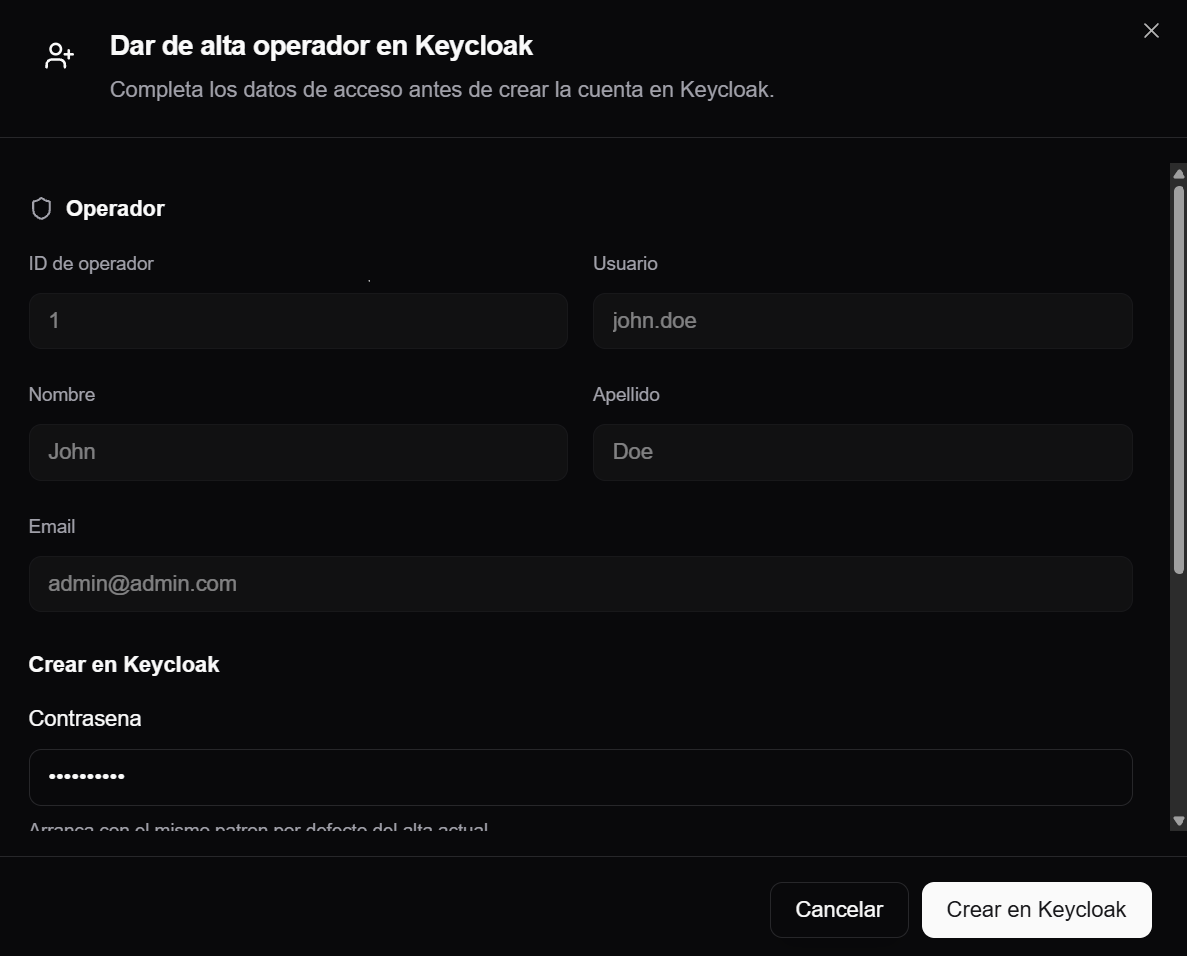
- initial password;
- role;
- campaigns;
- active status;
- verified email status.
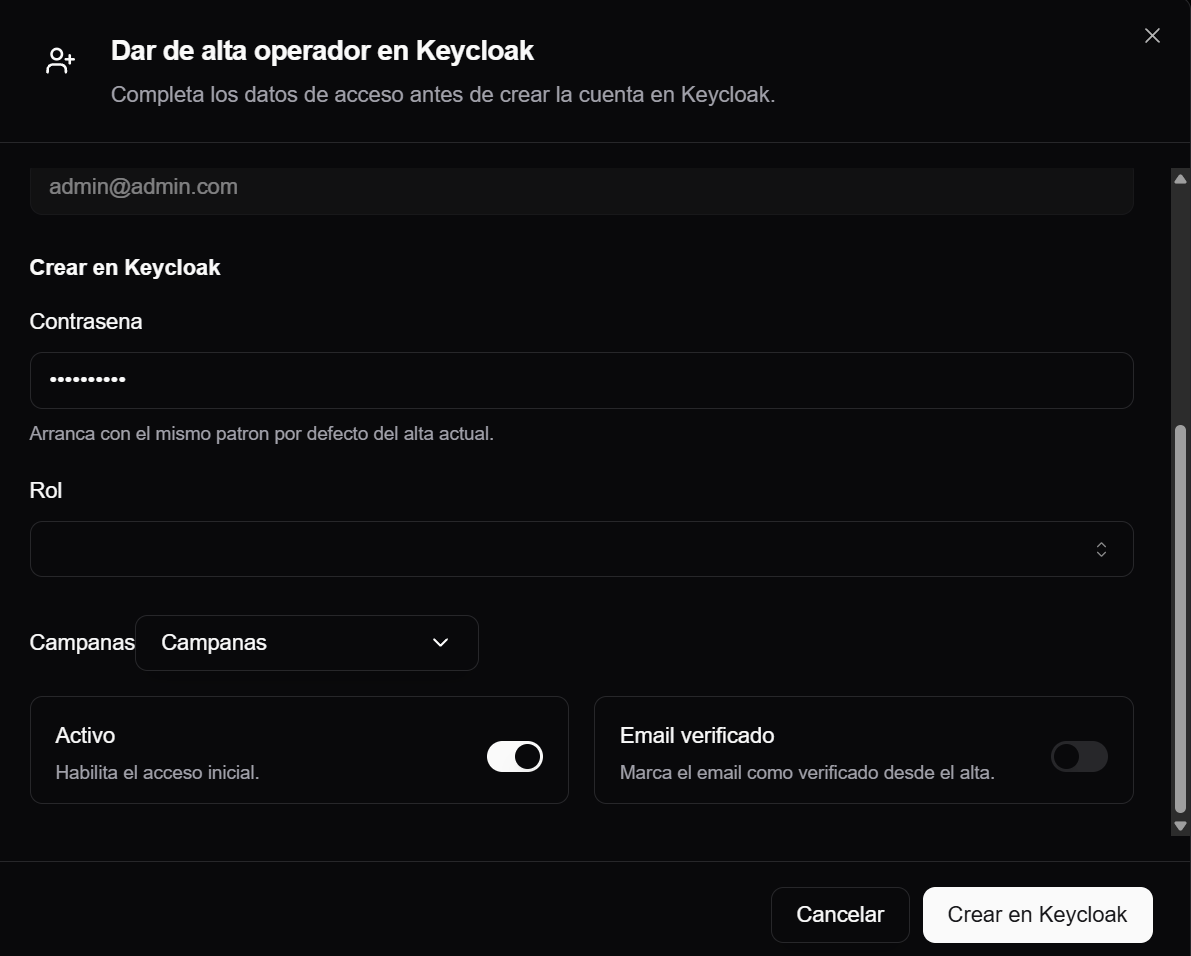
After the account is created, the person is no longer only a local operator without Keycloak; they also have a user account with access. From that point on, roles, campaigns, password, and permissions are managed under Manage users with access.
Do not use this flow to create another identity for the same person. If the operator already has a history, keep the same Operator ID so calls, chats, audits, and reports continue to point to the same person.
Delete an operator
Use Delete only when the operator was created by mistake and should not remain available.
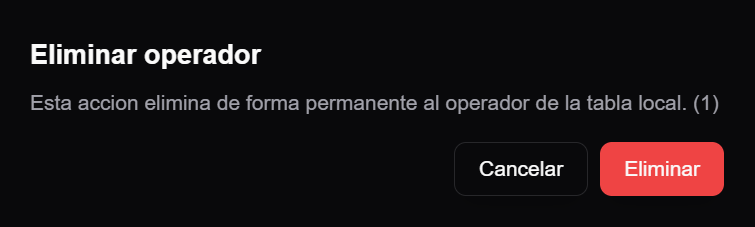
The deletion attempts to remove the operator from the local table. It may fail if the operator has dependencies, such as associated audits, chats, or calls.
Do not delete operators as routine history cleanup. If the operator already has activity, deleting it may affect traceability or may be blocked by the system. If the person needs access, use Create in Keycloak or review the existing user account.
Relationship with users who have access
Use this practical rule:
| Situation | What to do |
|---|---|
| The person only needs to be audited or selected | Keep or create a local operator. |
| The person needs to sign in to AuditorIA | Create the account in Keycloak or create a user with the same operator ID. |
| The person already has a user account but cannot see their cases | Review the user's operator ID, assigned campaigns, and role. |
| The person appears twice in reports | Check whether two operators with different IDs exist for the same person. |
| The person does not appear in an upload or audit selector | Verify that they exist as a local operator and that the campaign filter allows them to appear. |
Common issues
I cannot see Operators
Your user does not have the route or feature required to manage operators. Ask an administrator to review the role under Roles, permissions, and visible options.
I cannot create an operator
A required field may be missing, another operator may already have the same ID or email, or you may not have edit permission. See I cannot see an option the manual mentions.
I cannot create the account in Keycloak
The operator must have a first name, last name, email, and valid numeric ID. You also need permission to create the account in Keycloak.
The operator does not appear when uploading audio
First verify that the person exists as a local operator. If the uploading user has global operator visibility, the selector may show operators independently of the campaign. Without that visibility, the list depends on the selected campaign and may remain empty until you select a campaign with associated operators.
Changing the ID fails
If audits, chats, or calls are already associated with the operator, the system may block the ID change to preserve the history.