What is AuditorIA
AuditorIA is an AI-powered phone call auditing platform built by LinkSolution. It transcribes, analyzes, and evaluates conversations automatically — eliminating the need to listen to recordings manually and letting you audit 100% of your contact center volume.
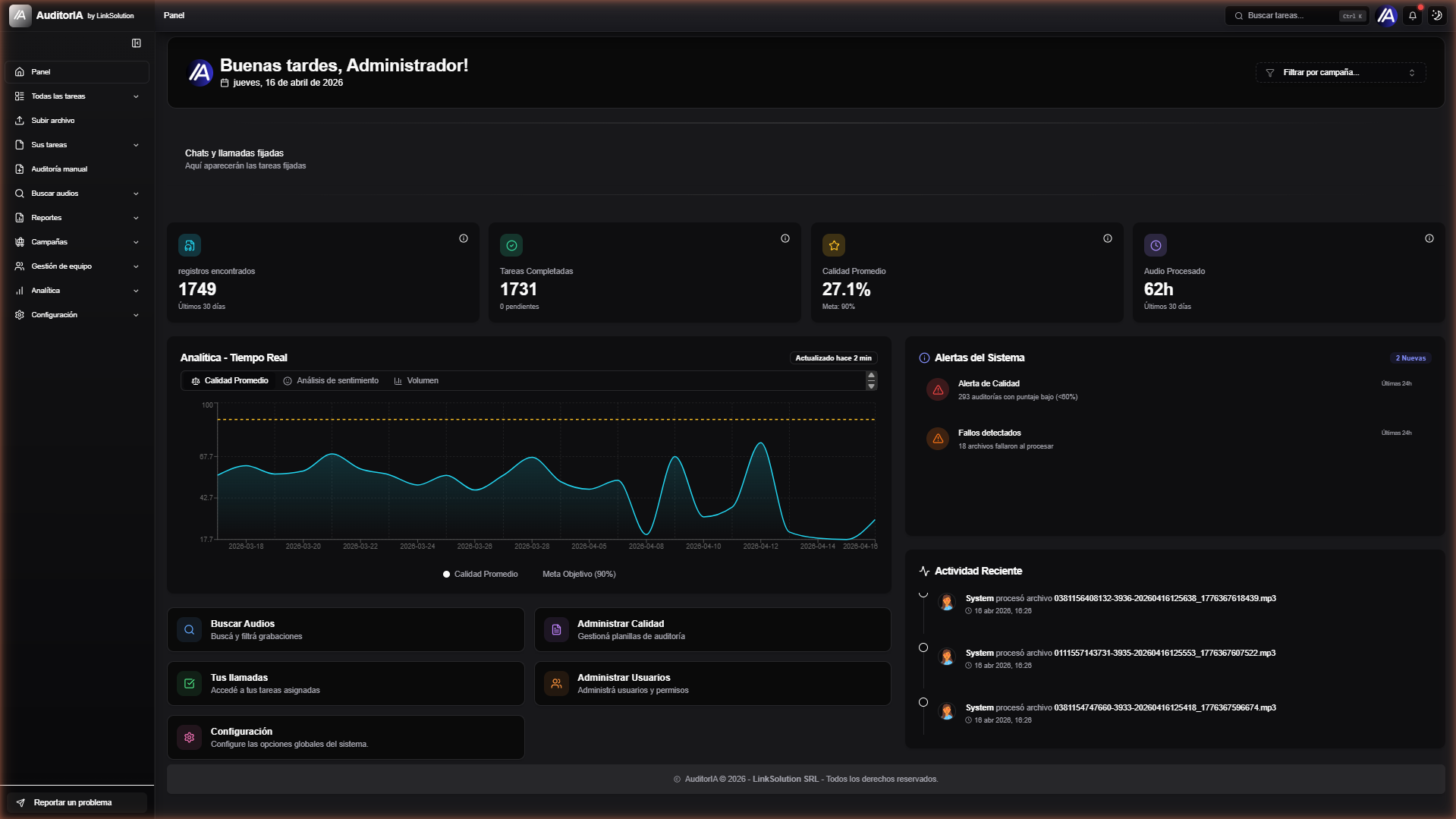
The problem it solves
In contact centers, auditing calls is slow, expensive, and subjective. Supervisors typically review less than 5% of total volume, which leads to:
- Lack of visibility into real service quality.
- Inconsistency between human auditors (low inter-rater reliability).
- Delays in detecting critical incidents.
- Inability to scale the quality process with operational volume.
AuditorIA automates this entire workflow with AI: every call, same criteria, in real time.
What you get with AuditorIA
| Capability | What it does | Technology |
|---|---|---|
| Transcription | Converts audio to text, word by word | WhisperX / OpenAI / Deepgram |
| Diarization | Separates each speaker's turns | PyAnnote 3.1 |
| Sentiment analysis | Evaluates tone and emotion per segment | pysentimiento (Spanish-optimized) |
| Auto-tagging | Classifies calls by topic and outcome | GPT-4o |
| Agent identification | Detects who is agent vs customer | GPT + heuristics |
| AI Chat | Natural-language questions about the call | GPT-4o + RAG |
| Quality auditing | Automatic scoring against configurable criteria | Rules engine + LLM |
| Reports | Dashboards, trends, ranking, emotion radar | Recharts + SQL aggregations |
| Notifications | Real-time alerts on tasks and events | SSE (in-memory fan-out) + PostgreSQL |
Primary use cases
- Contact centers — mass auditing of customer service, sales, technical support.
- Continuous quality monitoring — daily performance evaluation for every agent.
- Compliance — automatic verification of regulatory scripts (greeting, consent, legal close).
- Coaching — evidence-based improvement opportunities for each agent.
- Business intelligence — trend detection, recurring drivers, friction spikes.
- Retention & upsell — spotting missed opportunities and retention attempts.
High-level architecture
AuditorIA is a microservices architecture with asynchronous queues:
End-to-end flow
- User uploads an audio file (UI or API).
- Backend stores the audio in MinIO and creates a task in PostgreSQL.
- Task is enqueued in PostgreSQL (table
tasks, statuspending); the appropriate worker claims it by pollingGET /internal/tasks/pending(based ondevice). - Worker processes transcription + diarization.
- GPT worker analyzes sentiment, generates tags, and identifies agent/customer.
- Results are persisted in PostgreSQL.
- Frontend receives SSE notification and updates the viewer.
Two available APIs
| API | Port | Authentication | Primary use |
|---|---|---|---|
| Internal | 8000 | JWT (Keycloak OAuth2/OIDC) | Frontend, internal apps |
| External | 8001 | Integration credential | Third-party integrations |
See Authentication for detailed examples of both methods.
Supported audio formats
| Format | Extension | Notes |
|---|---|---|
| WAV | .wav | Uncompressed, max quality |
| MP3 | .mp3 | Compressed, most common |
| FLAC | .flac | Lossless compression |
| OGG | .ogg | Free format |
| M4A | .m4a | Apple AAC |
Quality recommendation
For best results: 16 kHz or higher sample rate, mono or stereo with one channel per speaker, ≥128 kbps bitrate for compressed formats. See Uploading audio for details.
Supported languages
- Spanish (
es) — primary, tuned for Río de la Plata, Mexican, Colombian variants. - English (
en), Portuguese (pt), French (fr), German (de), Italian (it). - 90+ additional languages via Whisper (
ja,zh,ko,ar,ru,nl, etc.).
See Language selection for the full guide.
Where do I start?
End user (auditor, supervisor, admin)
Start with the User Guide — covers login, dashboard, how to upload audio from the UI, how to review transcriptions, and how to interpret reports.
Developer or integrator
Go to Quickstart for your first API transcription in 5 minutes.
Platform admin
See Roles and permissions and Managing campaigns.
Next step
- Quickstart — your first transcription in 5 minutes (API)
- User Guide — login & navigation (UI)
- Key concepts — understand tasks, workers, queues, and events